![Anime Outline [Blender Addon]](https://img.itch.zone/aW1nLzI1NTMzMTgxLnBuZw==/original/tEYK7n.png)
Anime Outline [Blender Addon]
A downloadable tool for Windows, macOS, and Linux
Easy & Fast Outline tool for Game Assets, packed with lots of features !
This addon aim to be the swiss-knife for outlines in Blender, targetting Game Asset creation and Avatar/Vtuber creation.
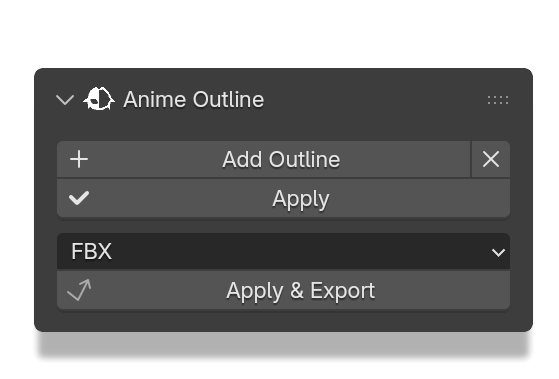
Apply and Export your model even if you have shapekeys ! (Note: By default Blender don't allow applying Geometry Node modifier if there is shapekeys). These features improves a lot your workflow !
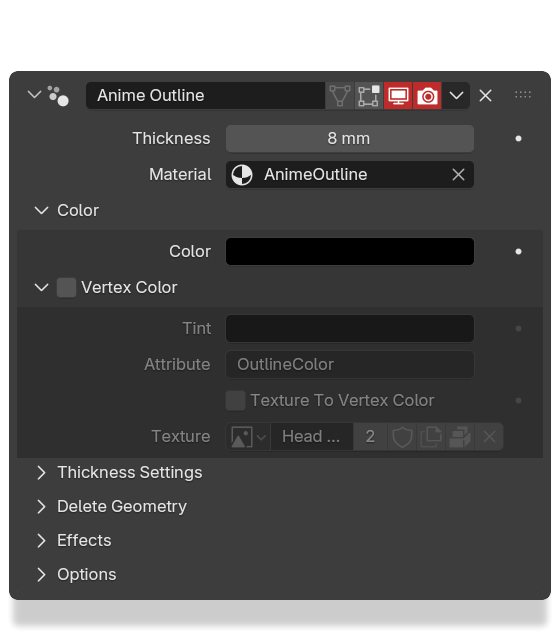
FEATURES


EFFECTS
These effects are mainly related to Blender and will not translate when exported. It's still cool features to have !


Head model is a commission I've made for MURPHAGATOR (https://www.twitch.tv/murphagator)
Purchase
In order to download this tool you must purchase it at or above the minimum price of $9 USD. You will get access to the following files:
Development log
Comments
Log in with itch.io to leave a comment.
Hi hi! Recently got this addon, but when I use it, it just makes the entire mesh black?? Instead of applying an outline. Any ideas on how to fix? For reference, I make relatively low-poly models, if that has any influence.
EDIT: I'm a fool and forgot Backface Culling OOPS Addon works great!
Hi ! You can check several things:
If it doesn't solve your problem, contact me on Discord (andyhellgrim).
Thanks for supporting me btw <3
EDIT: Oh you edited your answer while I was writing this haha Good catch ! If you have any feedback, don't hesitate ~
Hey this looks really cool. Quick question, is there a list of compatible Blender versions? Just asking because I tend to stick to Blender 3.6 and didn't see which versions this was compatible with.
Hi, thanks !
It doesn't works (yet ?) on Blender 3.6 sadly. This addon have been dev on Blender 5.0.1, and it load on 4.5 (no extended tests).
I don't know the state of Geometry Nodes in 3.6 but pretty sure some features will go missing :/ I'll give it a try anyway !
Hello Andy!
Oh I see. I understand. I would still get this plugin even if part of the plugin is only compatible with Blender 3.6. There's literally no outline plugin for more stylized or "2D" based modeling or animations.
Much appreciated for the work you've already put into the unique plugin Andy.
Really ? I guess I have to make this a reality then !
Hi ! Took my time but the addon is now compatible for Blender 3.6 LTS ~ (the UI is just "uglier" since 3.6 doesn't have panels for organizing parameters, enjoy the wall of parameters then haha)
Hey there Andy! Thanks for the work you put into this plugin. I don't mind the "ugly" UI at all, the versatility of this really opens up possibilities for stylized animation styles within Blender.
Much appreciated for this Andy, for taking the time to recompile this great plugin for older Blender versions. Thanks a million! 😁